



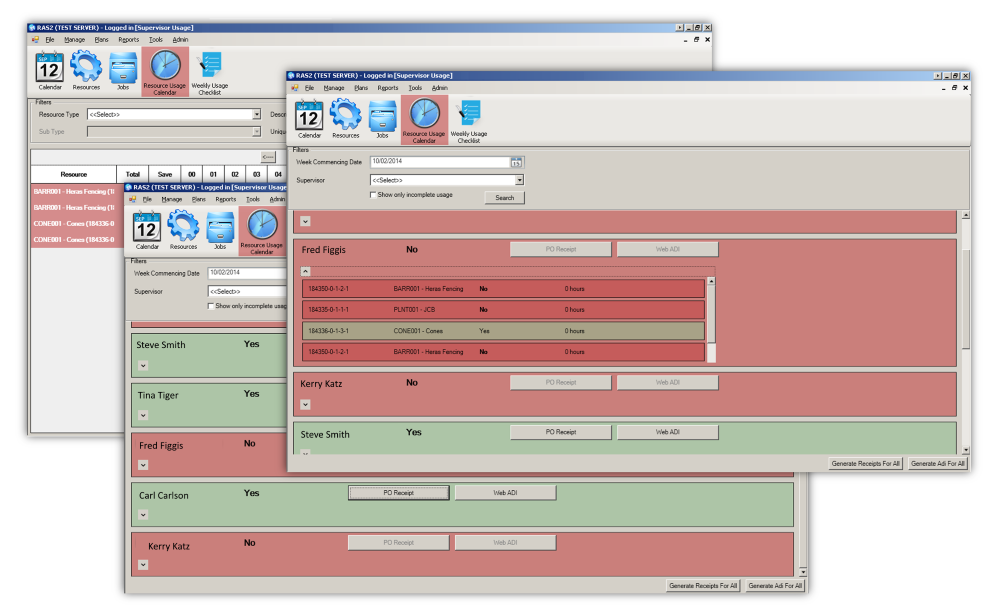
What we delivered
As this was one of our earlier projects and Leicestershire County Council, had other applications built in WinForms we settled on using WinForms as the GUI. This made it easier for staff to use the new software, due to familiarity with this interface type. However, the calendar aspect of this application could not be built efficiently in WinForms, so WPF was also added to the project to implement these views.
As Leicestershire County Council were already using Oracle for their databases, it was necessary to work with Oracle to store the data generated by RAS. In 2019 the County Council’s IT department decided to move their databases to the cloud and we further developed a web API, that could interact with the now cloud based Oracle database, this went live in 2020.
The council’s resources are divided into three broad categories labour, plant, and vehicles. Many of these resources are owned by the County Council, but they also have the authority to hire resources on a short- or long-term basis. The new system was developed to filter the difference resources types and distinguish between owned and hired resources.
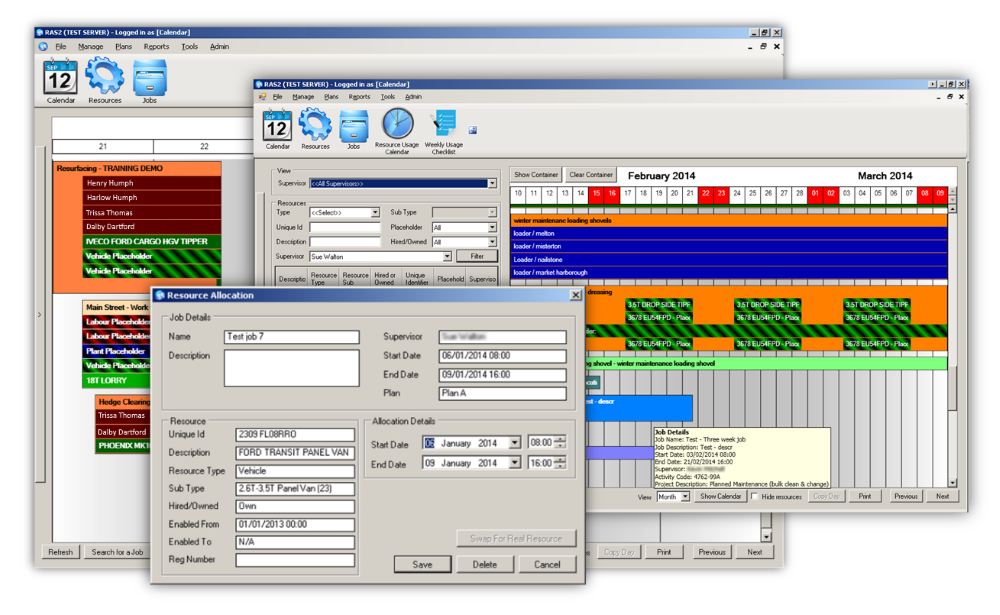
The calendar is the hub of the application giving a visual timespan of jobs and their attached resources. Hovering over resource and job elements, produces popups that provide relevant details and right-clicking on the elements opens a window where users can instantly update the information. Displaying various time periods such as daily weekly, monthly, yearly etc, gives staff the control they need to be view the data in their chosen timeframe.
The results
RAS has two main user groups, office staff who are responsible for administrating, monitoring, and reporting on resource usage and supervisors who are responsible for allocating resources to jobs. On logging into the system users are only presented with data they have permissions to see and certain aspects and actions are withheld from some user roles, such as reports are only available to office users. On daily entry to RAS, users are presented with an alert view that will inform them of any anomalies, such as a vehicle is currently undergoing repairs, or an operative is attending a training course.
The RAS System allows supervisors to track their own resources and those belonging to other supervisors. This allows them to temporarily use each other’s resources when they have none, but another supervisor has spares available. Using the calendar view, supervisors can see their jobs laid out with all the attached resources below each one. The drag and drop nature of the calendar also makes it easy to move resources between jobs and clicking on the date heading allows a job to be added instantly for that date. The resource list on the left allows supervisors to select and drag a resource directly onto a job.
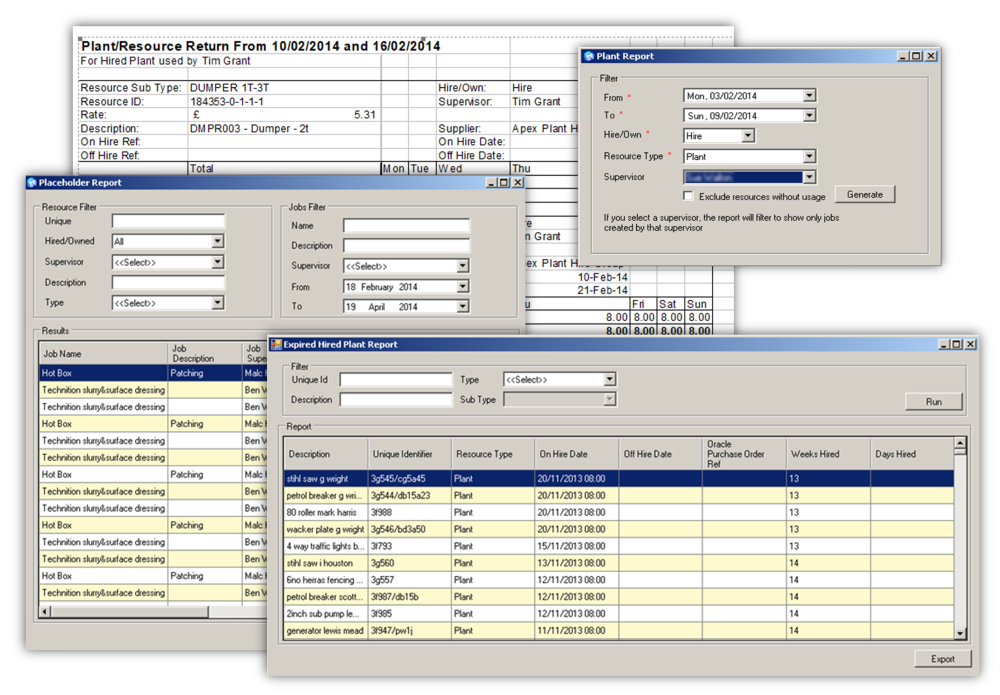
Office staff also have access to the calendar but have additional views which enables them to monitor resources, run reports and keep a check on each supervisor’s usage. Various reports are available, and these can be displayed on screen or exported in Excel format. Office staff can set global settings and add new users; however, their main role is to manage the availability of resources. Therefore, we provided views that provide the means for office staff to add resources, delete them, take them on and off hire and make them unavailable for supervisors to use. As resource unavailability’s can be for various reasons depending on the type, views were implemented to manage sickness, annual leave and training for operatives and other views were created for the management of plant and vehicles allowing users to indicate such things as plant was in for scheduled maintenance or a vehicle was awaiting repairs.
Categorised in: Councils, Job Management