



Highways Software Suite – Background and Solution
‘Job Costing’ is but one of the applications that BSPOKE Software developed for Leicester City Council’s Highways Department therefore, we have created a separate case study that details the common elements. That case study describes the issues with their previous software and provides the overall solution we proposed and developed, covering all aspects that are applicable throughout.
Job Costing Summary
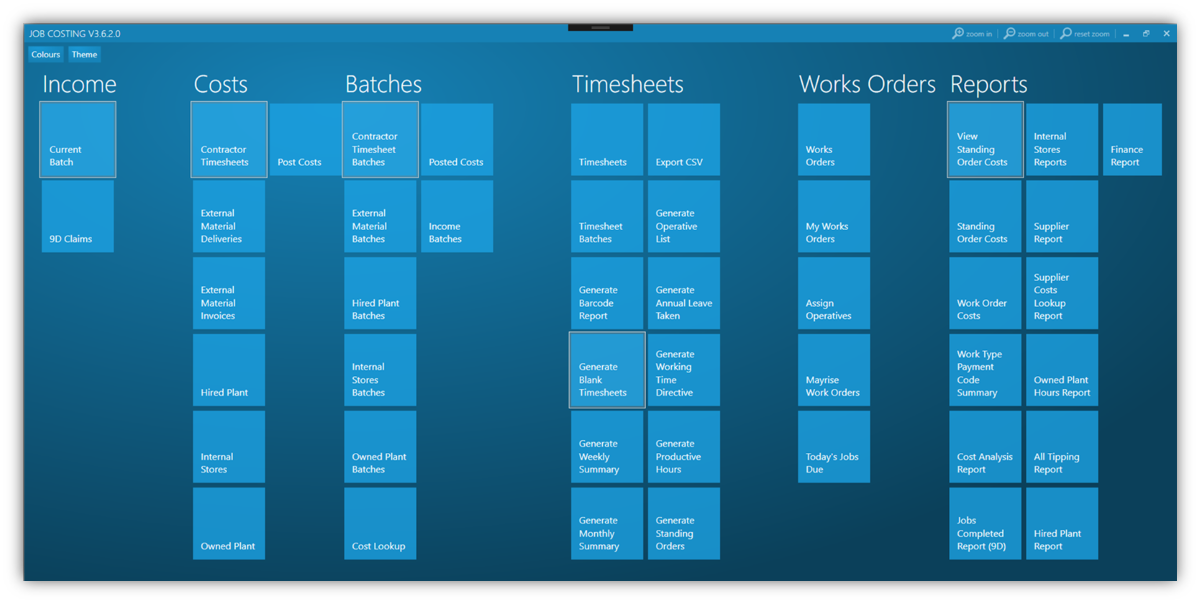
‘Job Costing’ uses a modern Windows tiled layout which is presented to the user on entry to the home screen. This layout is split into various menus, making it easy for users to navigate to the areas they wish to work in.
‘Job Costing’ is designed to track all road works within Leicester city, and is split into four broad areas. The main area is ‘Work Orders’ which is concerned with the scheduling and management of work, the other three are more financially based and track:
- the labour hours of operatives working in the field;
- various other associated costs, such as vehicle, plant and materials;
- income received, this can be from government departments or private companies and individuals.
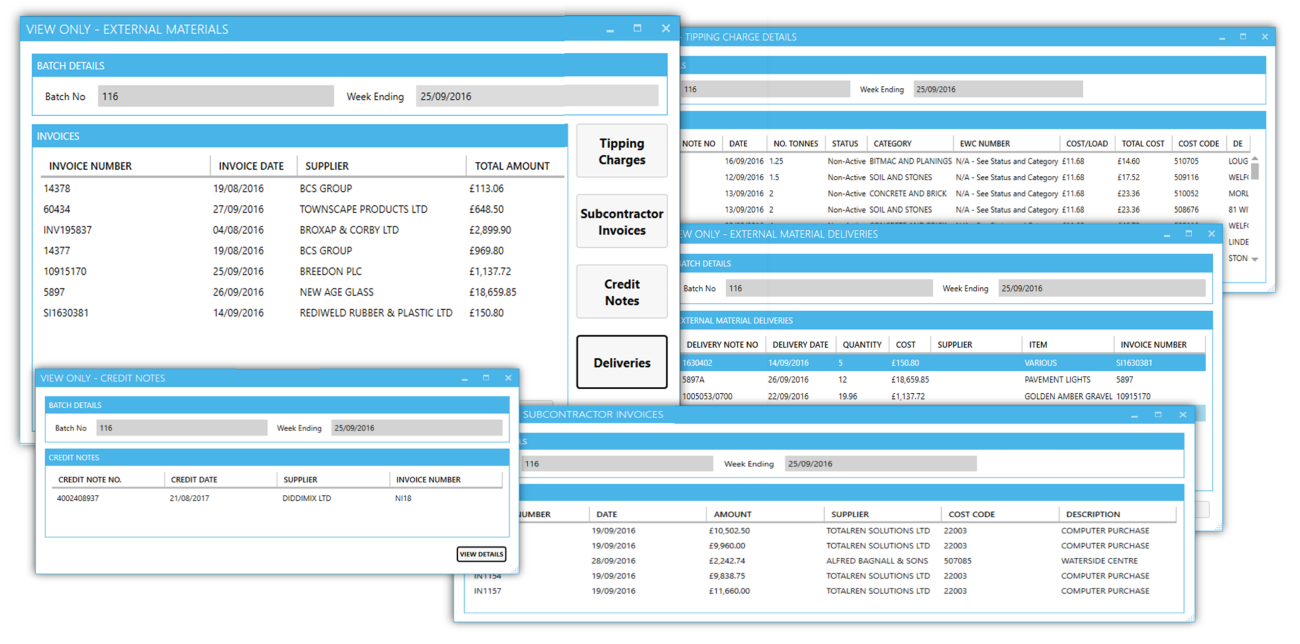
Looking at the home screen gives you an idea of the size of job costing, each tile represents another section and each section can have many sub-sections. For example, drilling down into External Material Invoices, you would find another 4 areas: Tipping Charges; Subcontractor Invoices; Credit Notes and Deliveries. This is the case with most of the other sections too.
As ‘Job Costing’ is such a large system we have chosen to focus on a few specific features for this case study.
Sharing Data
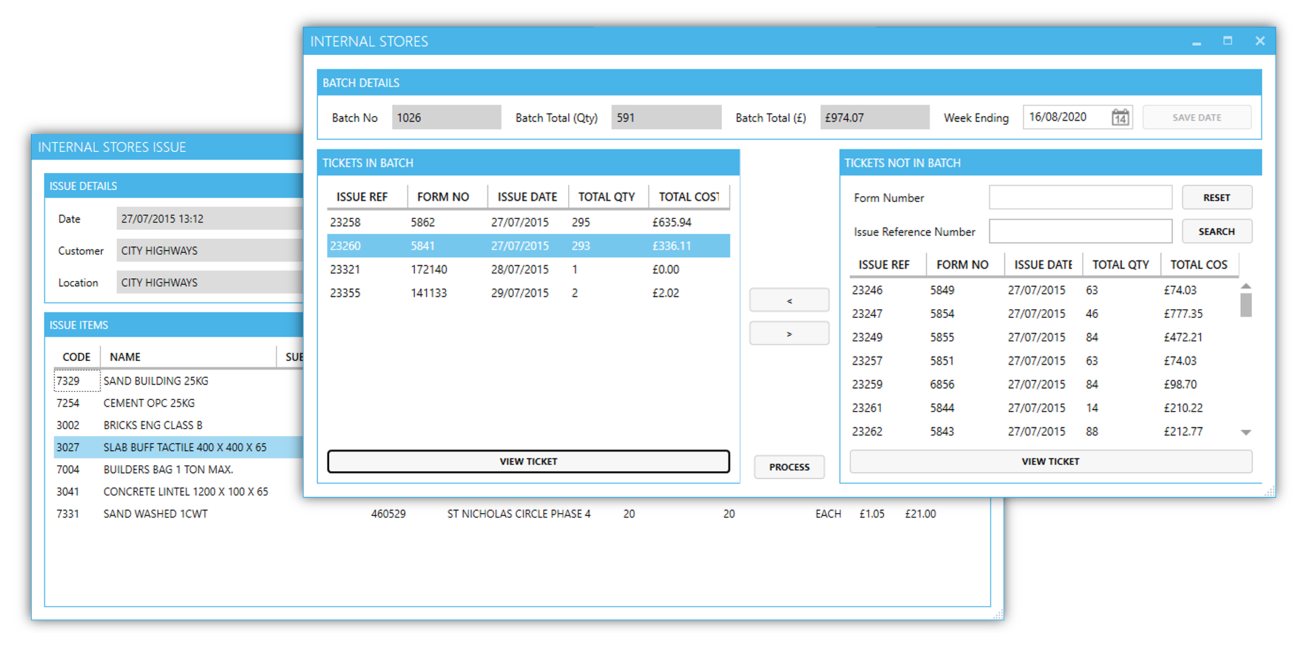
‘Job Costing’ and other applications developed by BSPOKE Software for Leicester City Council’s Highways Department use a central database and this allows them to share information with each other. For example, when looking at the Internal Stores areas of ‘Costs’, the information on the right-hand side (Tickets not in Batch) comes from another application we wrote called ‘Stores’ and this information can instantly be brought across to Job Costing with a click of a button.
Documents
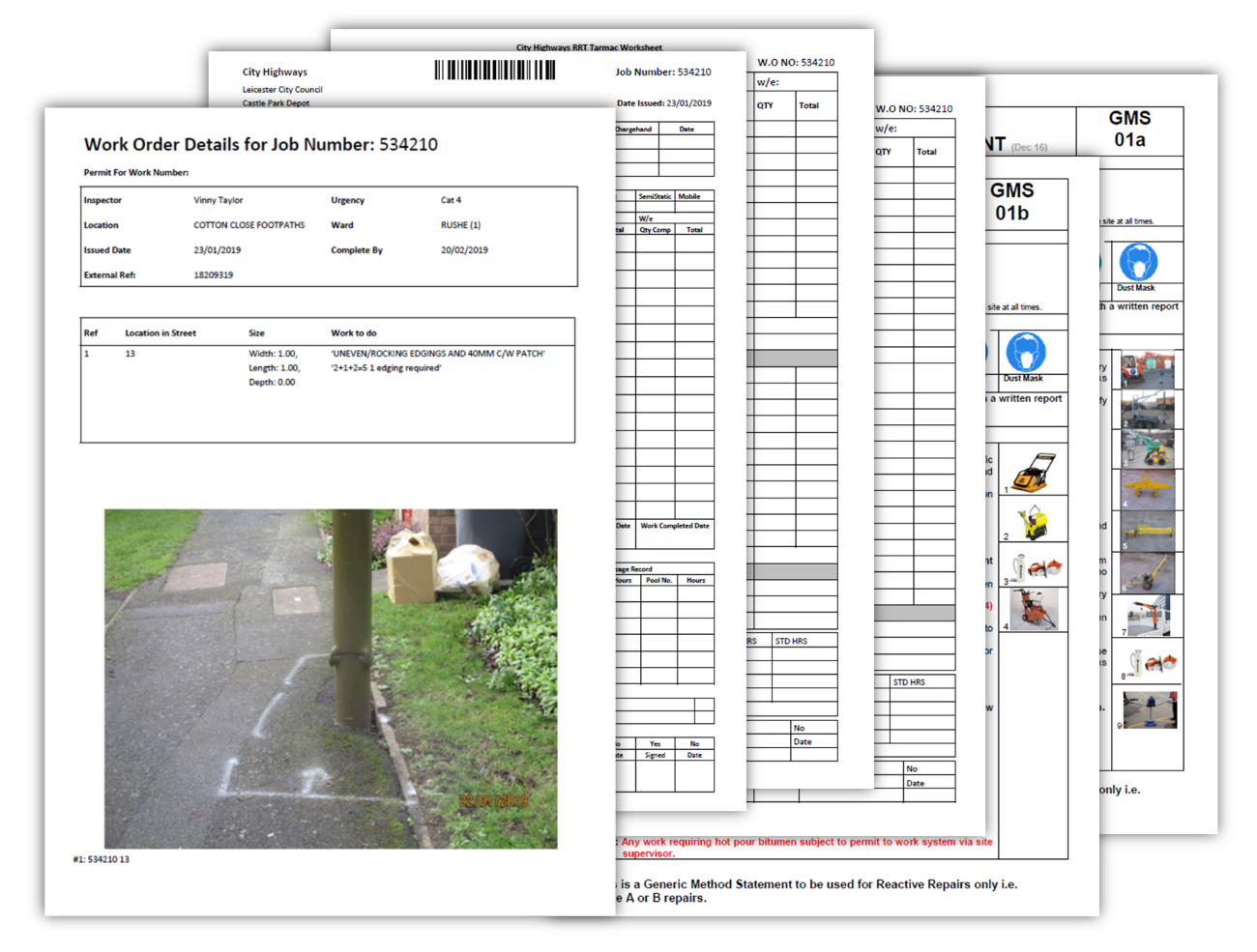
Document production was one of the requirements for ‘Job Costing’, specifically a range of documents for recording operatives’ hours per job. Time related documents included: timesheets for operatives to complete, weekly/monthly pay slips and annual leave. However, the most important document produced is probably the ‘Job Card’, which outlines the work and location of the job, with photographs, worksheets, plus health and safety information.
Barcoding
To save staff time, barcoding was introduced so that supervisors could quickly and efficiently assign an operative to a piece of work. Supervisors scan the barcode on a ‘Job Card’, see above image, and then the required barcode from a list of operatives to allocate the work.
Reports
Reports were also deemed to be an essential part of ‘Job Costing’. These were focused around two main areas: financial reports and measures. Financial reports are used to track various expenses and income and for end of year accounting. Reports for Measures describe how long each job took and highlights when work successfully completes on time or is running late. Most of these reports are available to download in Excel and PDF format.
Categorised in: Councils